First-session checklist
Dance Interactive describes a game about building a studio, training dancers across different styles, competing, and growing a reputation. Here is a suggested order for your first session.
- Use the correct experience. Open the Dance Interactive game linked above; similarly named dance studios are separate Roblox games.
- Follow the game's current tutorial. Update 4 announced a revised Routine Creator tutorial. Follow its prompts to learn the controls.
- Learn one activity at a time. Get familiar with your studio and dancers, then try the routine editor before preparing a competition entry.
- Record what you own. Note your available dancers, moves, and resources before making a purchase.
- Check available codes. Visit the Codes page for the codes and their announced rewards.
Dancers and training
Training across multiple dance styles is part of the developer's official description. Update 4 also announced male dancers as available to scout.
Before spending resources, read the training information and upgrade effects shown for your dancer.
Brixumi tip: Keep a small record of the displayed attributes before and after training. This helps you compare the effect of an upgrade.
Resource decisions before you spend
The Creator announced two Gem rewards totaling 1,500 Gems. Check the Codes page for their status before trying to claim them.
- Check the price and effect displayed for a purchase before confirming.
- Keep cosmetic spending separate from an upgrade you need for the next task.
- Check the currency and total cost shown in the game.
If a feature asks for Robux or a gamepass, read what the purchase includes before confirming.
Start with one manageable routine
Update 4 confirms move search, speed adjustment, and cropping. You can learn these controls on a short piece before working on more complicated formations.
Brixumi tip: Pick a simple idea, preview transitions, and check your saved version before you leave.
Explore the routine editor featuresBefore your first competition
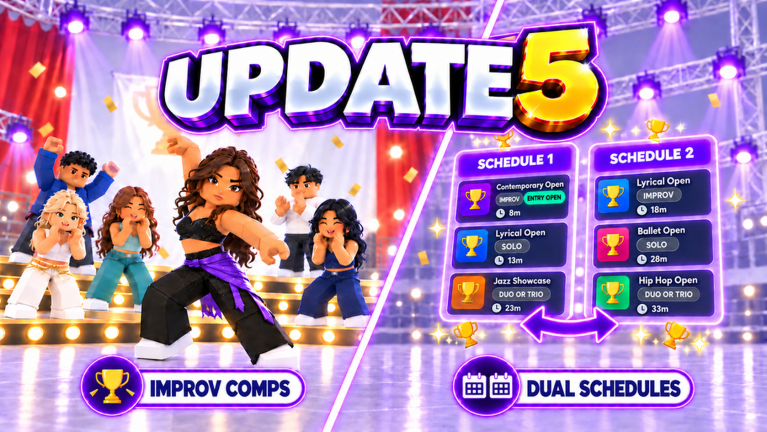
Read the current competition screen for the accepted routine type, dance style, and entry conditions. Check official announcements for a cancellation or schedule change.
Check the qualification requirements for the specific event you want to enter.
Read the competition preparation guide